Prepare, meet, and follow up from one place.
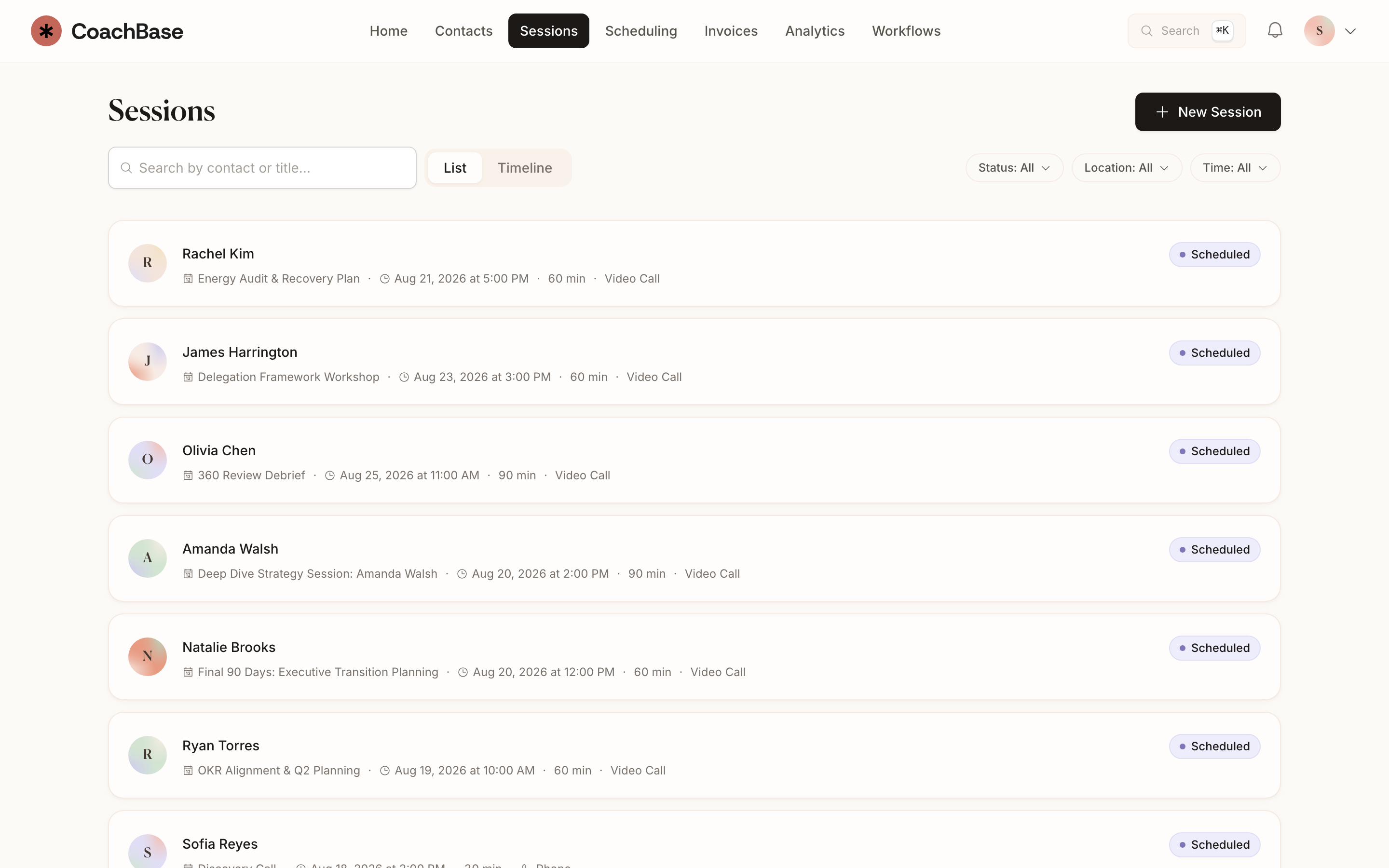
See who you are meeting and review the last conversation before the session starts. Afterward, add notes and next steps to the same client record.
Start Free Trial14 days of Pro free. No payment info required.

What you can do
- See upcoming sessions with the client, package status, and last notes attached.
- Run native video in CoachBase or use Google Meet. Zoom integration is coming soon.
- Keep files, worksheets, and follow-up tasks on the same record.
- Reschedule and cancel without losing what the hour was for.
- Tie sessions to invoices and packages so remaining credits stay honest.
- Use AI transcription and summaries on Pro and Practice.
Know where you left off.
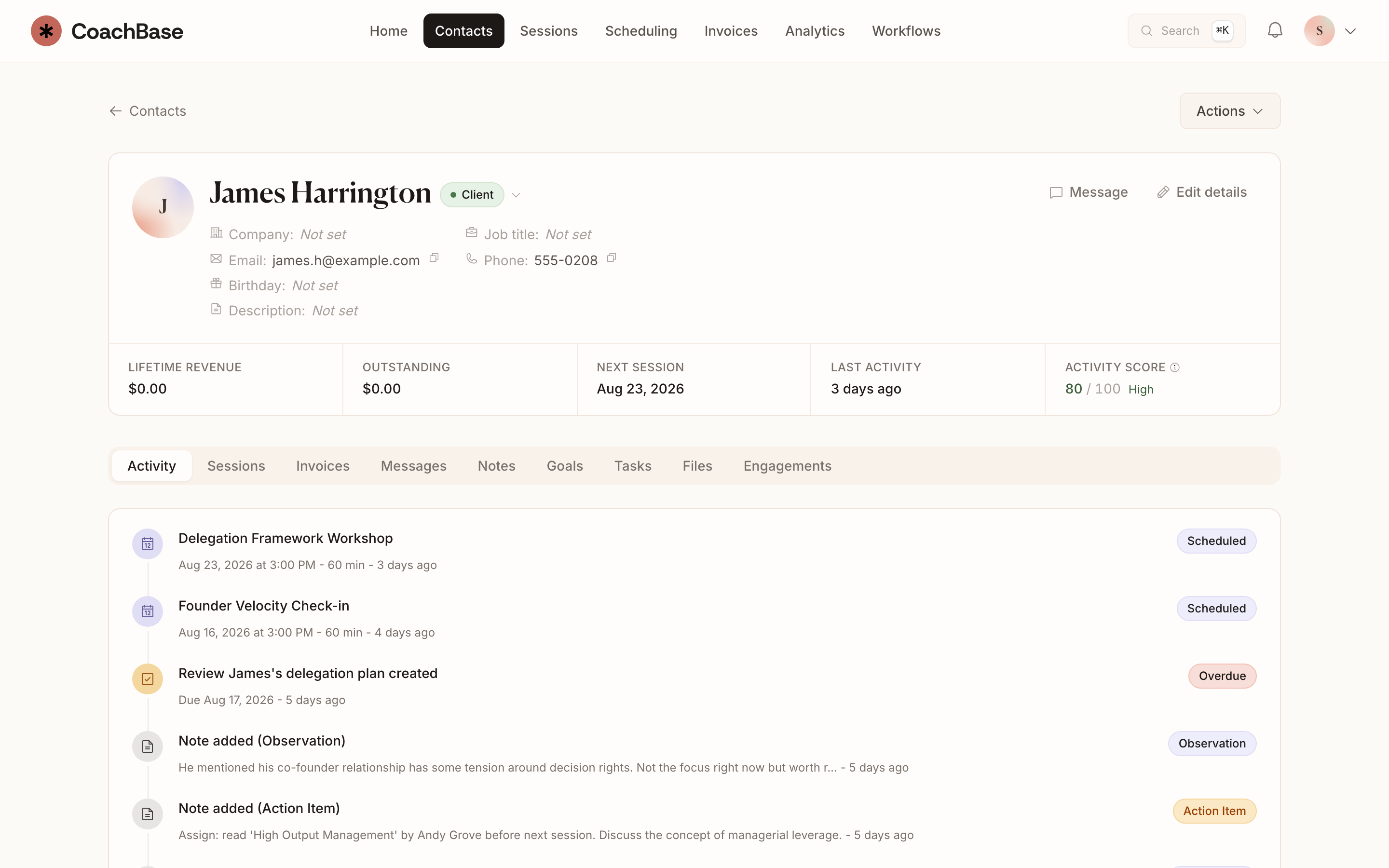
Review the client's session history, recent notes, files, and open tasks before you meet. Sessions stay on the timeline alongside invoices, messages, and package details.
Keep the next steps connected.
Reschedule or cancel a session without losing its context. Record commitments as tasks and keep worksheets on the client record.
Native video is included. You can also use Google Meet. Zoom integration is coming soon. Pro adds transcription and AI-generated summaries for recorded sessions.

Questions coaches ask
- Can I run coaching sessions inside CoachBase?
- Yes. Native video is included on every plan (60 minutes on Solo, unlimited on Pro and Practice). You can also connect Google Meet. Zoom integration is coming soon.
- Do coaching sessions stay attached to the client record?
- Yes. Sessions sit on the client timeline with notes, invoices, messages, and files.
- Can AI summarize my coaching sessions?
- On Pro and Practice, video sessions can be transcribed and summarized, with action items you review and edit.
Also in CoachBase
Related reading
Start your next session with the context you need.
Bring your sessions and client records together in CoachBase.
Start Free Trial14 days of Pro free. No payment info required.