Pull what matters from every transcript.
Spend less time reconstructing the conversation afterward. CoachBase uses the session transcript to identify key details and commitments, with every suggestion ready for your review.

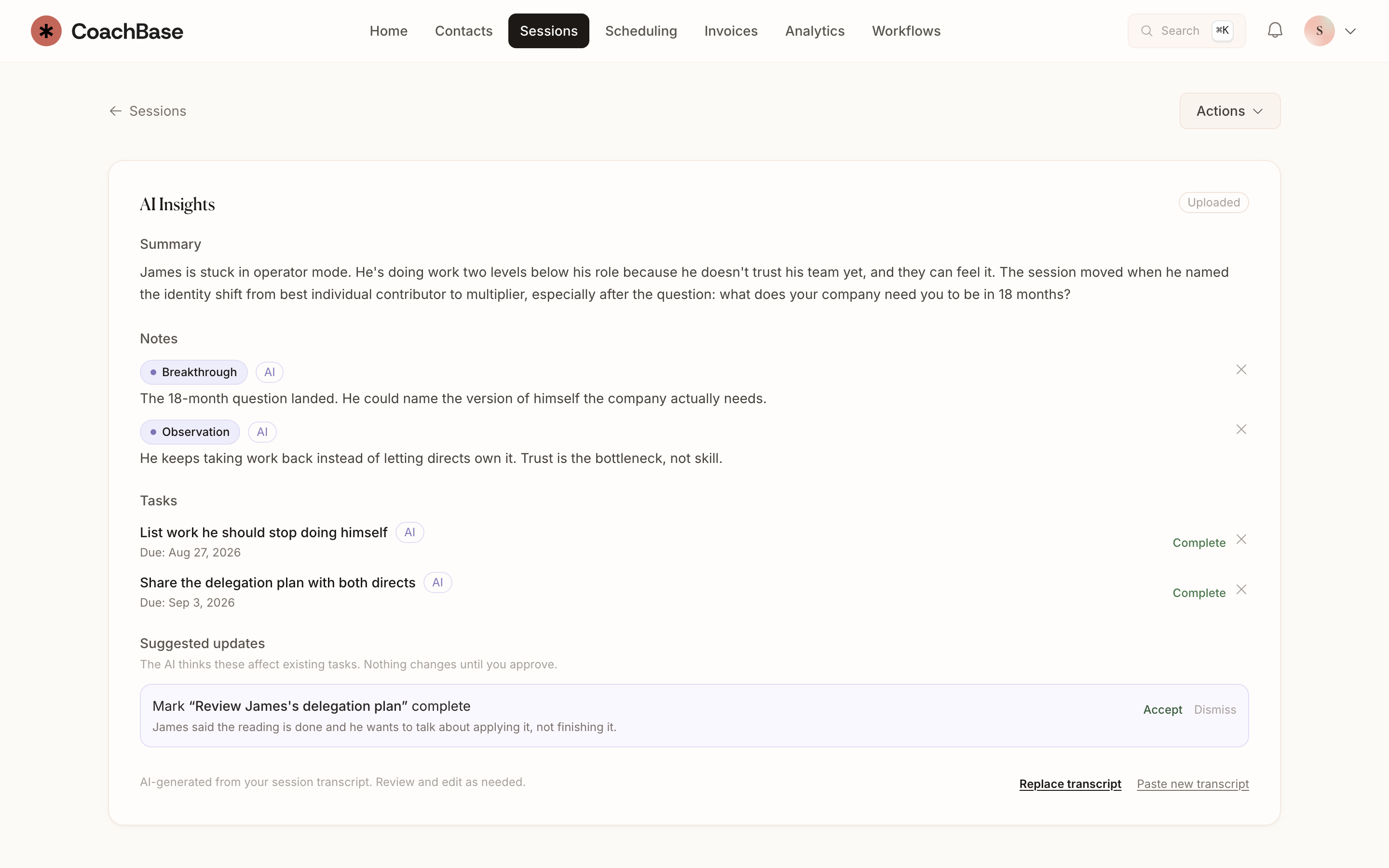
What you can do
- Automatic transcription of video sessions.
- AI-generated summaries you review and edit.
- Action items pulled out of the conversation.
- Insights across the practice when patterns show up in more than one client.
- The draft lives on the session, next to notes you would have written by hand.
Start with the important details.
Recorded video sessions can produce a transcript, a summary, and suggested action items. The draft stays on the session record rather than in a separate notes app.
Keep your judgment in the process.
Review what was captured, edit the wording, and remove anything that does not belong. AI helps with the first draft. You decide what becomes part of the client record.
AI session notes and transcription are included with Pro. Solo includes the notes you write yourself.
Compare the AI cost as well as the plan.
CoachBase Pro includes session transcription, draft notes, and action items in its $59 monthly price. You review and edit the draft before saving it to the client record.
Practice Better lists its AI Charting Assistant as a separate add-on, starting at $10. Check its current pricing and usage allowances when comparing the total cost.
Questions coaches ask
- Does CoachBase transcribe coaching sessions?
- Yes, on Pro and Practice. Video sessions can be transcribed, then summarized into notes and action items you edit.
- Is AI included on the Solo plan?
- No. AI session notes, transcription, and action items are on Pro and Practice. Solo still includes manual notes, clients, scheduling, and invoicing.
- Do you use client session data to train AI models?
- CoachBase does not use Google user data to train AI models. Session intelligence is for your practice's notes, which you review before they become the record.
Also in CoachBase
Related reading
Give yourself a head start on the write-up.
Try AI session notes and action items with Pro.