Keep useful notes for every client.
Find the last conversation before the next one begins. Notes stay on the client record, alongside goals, sessions, and tasks with due dates.
Start Free Trial14 days of Pro free. No payment info required.

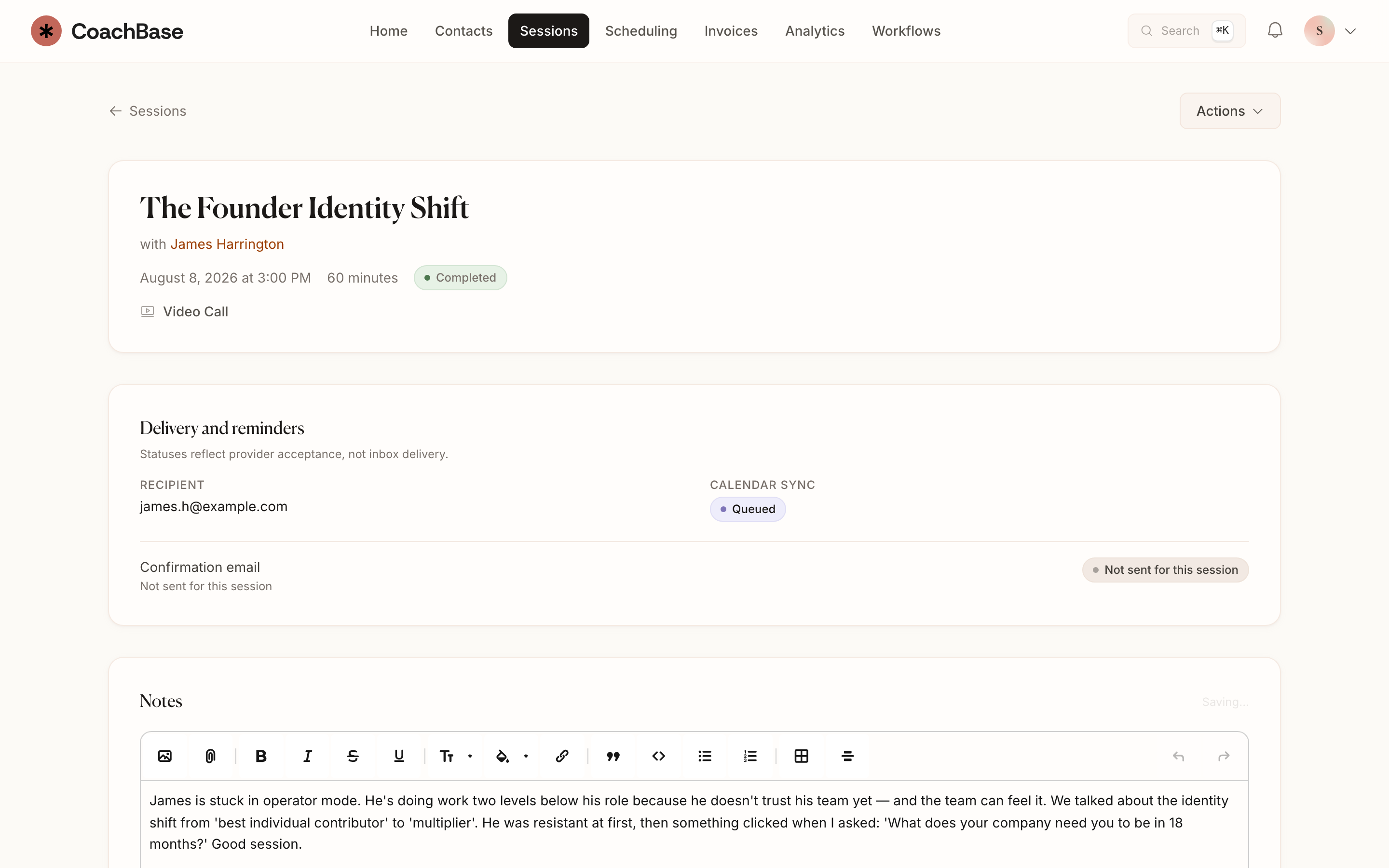
What you can do
- Write session notes on the client and the session.
- Pin the lines you will actually need next time.
- Turn commitments into tasks with due dates.
- Keep goals on the client profile.
- Review recent notes on the timeline before you walk in.
- Let AI draft notes from a recording on Pro and Practice, then edit them.
Write the way you work.
Capture themes, commitments, and the details you need to remember. Pin important notes and review recent entries on the client timeline.
Goals stay on the profile, and tasks have due dates so a commitment does not get lost in a paragraph.
Get help with the first draft.
Manual notes are included on Solo. Pro can transcribe recorded sessions and suggest a summary and action items. Review and edit the draft before it becomes part of the record.
Questions coaches ask
- Where are coaching session notes stored in CoachBase?
- On the client and the session. You can pin important lines and see recent notes on the timeline before the next meeting.
- Can I turn session notes into follow-up tasks?
- Yes. Tasks support due dates and overdue alerts, so commitments from the session do not disappear into a paragraph.
- Does CoachBase write session notes with AI?
- Pro and Practice can transcribe and summarize recorded sessions and suggest action items. You review and edit before anything becomes the record.
Also in CoachBase
Related reading
Keep the details ready for next time.
Try session notes, client history, and follow-up tasks together.
Start Free Trial14 days of Pro free. No payment info required.