Automate routine client follow-up.
Choose a client, session, payment, or task event, then decide what should happen next. CoachBase can send an email, create a task, add a note, or update the contact.

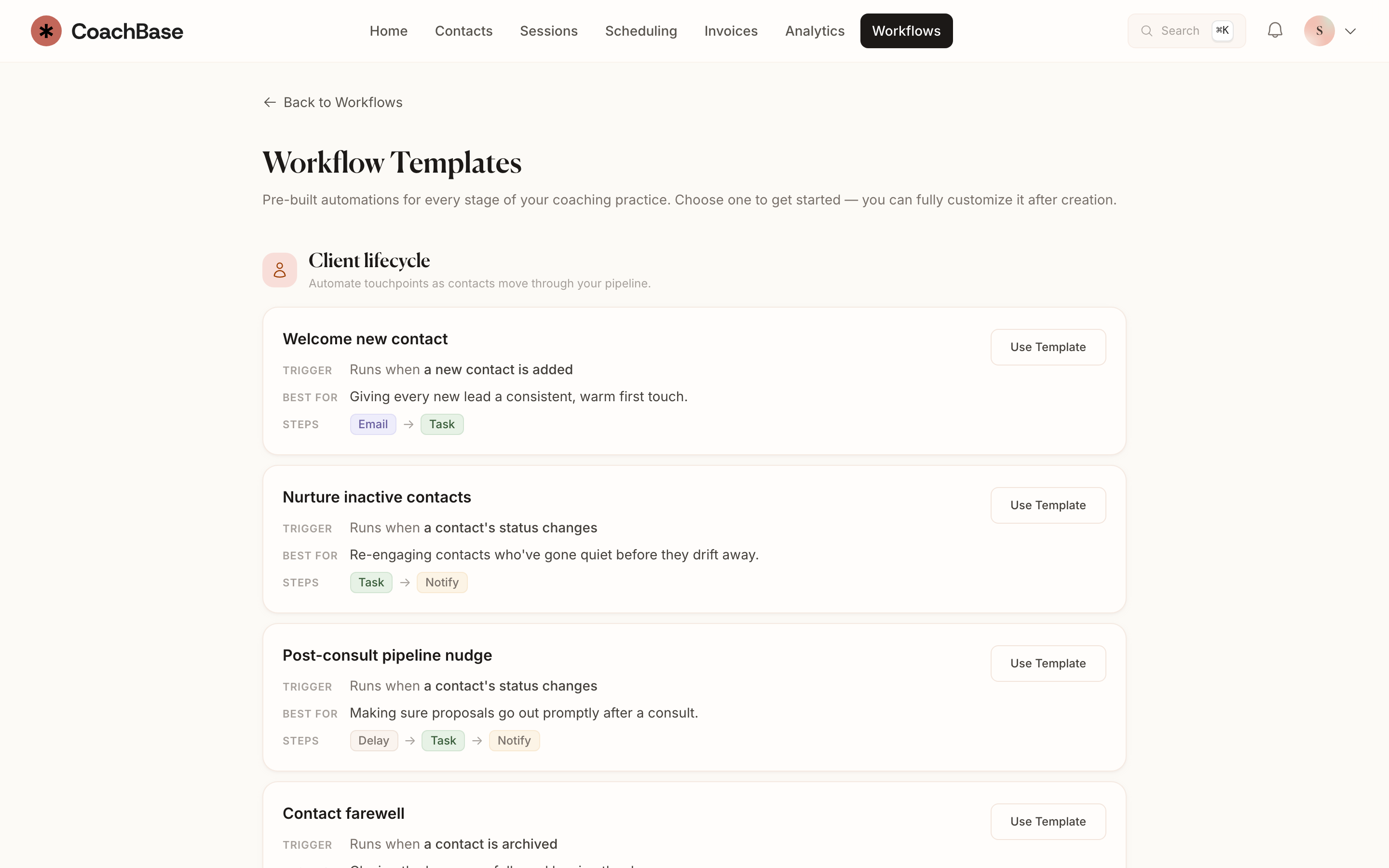
What you can do
- Unlimited workflows on Pro and Practice.
- Pre-built templates for onboarding, sessions, payments, and overdue tasks.
- Triggers on real practice events: booked, completed, no-show, paid, overdue.
- Steps that send email, create a task, add a note, or update a contact.
- Email templates with merge fields, so the automated note still sounds like you.
Start with a template.
Use a pre-built workflow for onboarding, session follow-up, payments, or overdue tasks. Adjust the steps and write the messages in your own words.
Run from the work already happening.
Workflows use CoachBase events such as a completed session, a paid invoice, or an overdue task. You do not need to copy those events into another tool.
Pro includes unlimited workflows and email templates with merge fields. Solo does not include workflow automation.
Questions coaches ask
- Does CoachBase include workflow automation?
- Yes, on Pro and Practice. Workflows are unlimited on those plans. Solo does not include workflows.
- What can a coaching workflow automate?
- Welcome notes, session prep and follow-up, no-show recovery, payment thank-yous, overdue invoice reminders, and overdue task alerts. You can start from a template and edit the steps.
- Do I still need Zapier?
- Not for the usual coaching admin. Pro and Practice also include webhooks if you have a custom destination. Most coaches can cancel the Zapier bill.
Also in CoachBase
Messaging
Send messages and see replies on each client's record, alongside sessions and notes.
Scheduling
Share your booking page, set your availability, and keep sessions in sync with your calendar.
Invoicing
Create invoices, collect payments, and manage coaching packages alongside each client's sessions.
Related reading
Spend less time repeating the same admin.
Try workflow templates and automated follow-up with Pro.