Let clients book a time that works.
Set meeting types, availability, and intake questions, then share your booking link. Clients choose an available time, receive a confirmation, and get reminders before the session.

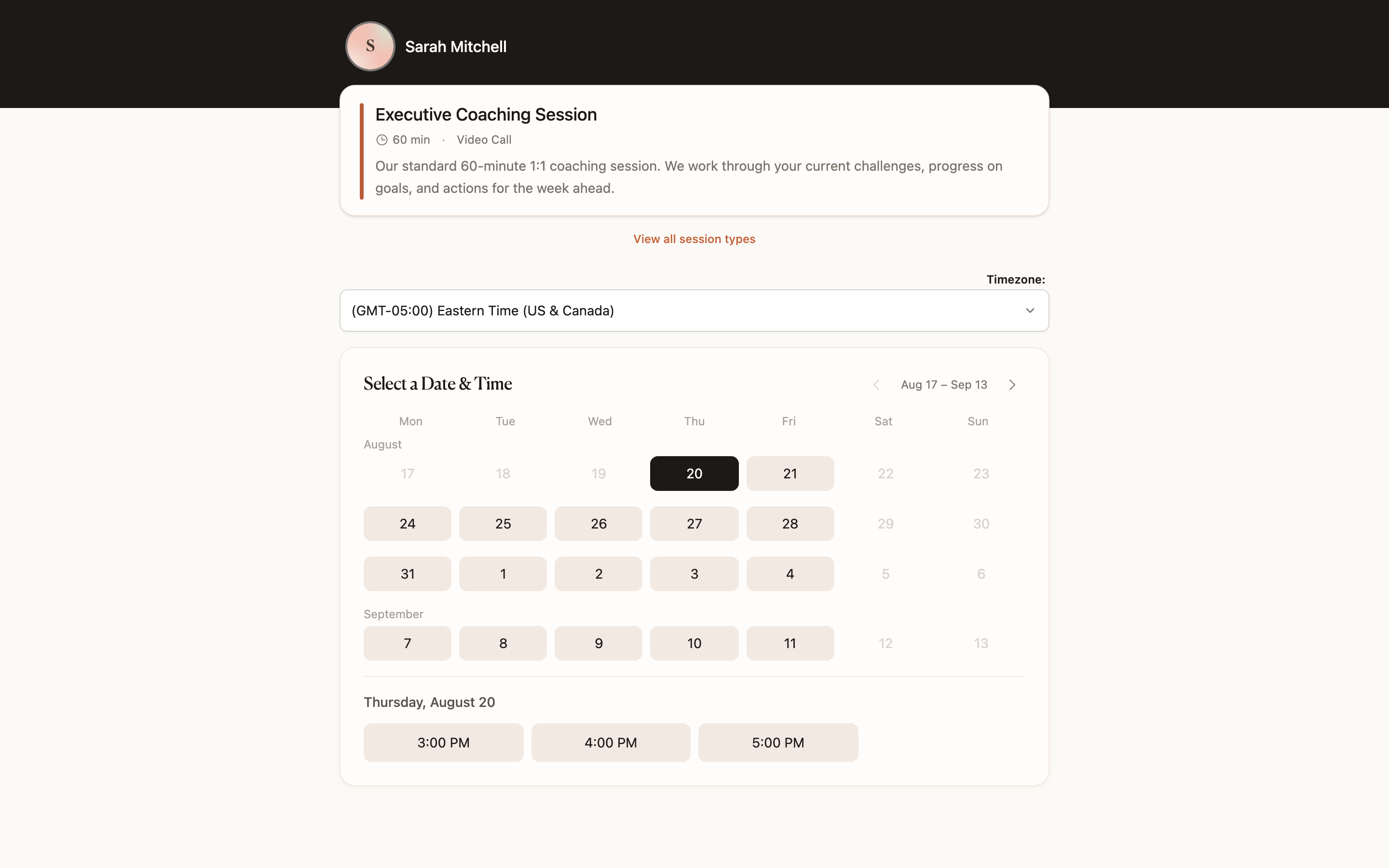
What you can do
- Public booking page with unlimited meeting types on every plan.
- Custom intake questions before the first session.
- Availability, date overrides, and slot reservation so two people cannot take the same hour.
- Confirmation and reminder emails.
- Deposits at booking when you want the time to be a real commitment.
- Google, Outlook, and Apple Calendar sync, including busy times across calendars.
- In-person, phone, and video, including Google Meet when connected. Zoom integration is coming soon.
Set the details once.
Give discovery calls and ongoing sessions their own duration, location, and intake questions. Add a deposit when a booking needs payment in advance.
Availability settings, date overrides, and slot reservations help protect your time and prevent double-booking.
Keep the calendar up to date.
Connect Google, Outlook, or Apple Calendar to account for busy times and sync coaching sessions. Offer in-person, phone, or video sessions, including Google Meet when connected. Zoom integration is coming soon.
Solo includes booking, intake questions, reminders, deposits, and calendar sync. Pro adds booking-page branding and customized reminder copy.
Questions coaches ask
- Does CoachBase include a public booking page for coaches?
- Yes. Every plan includes a public booking page, unlimited meeting types, intake questions, reminders, and calendar sync.
- Can clients pay a deposit when they book a coaching session?
- Yes. You can require a deposit at booking and keep that payment on the client record.
- Which calendars does CoachBase sync with?
- Google Calendar, Outlook Calendar, and Apple Calendar, including busy times across more than one calendar.
- Can I offer Zoom or Google Meet from the booking page?
- Google Meet links are created with the session when Google Calendar is connected. Zoom integration is coming soon and is not available yet.
Also in CoachBase
Related reading
Make the next booking simpler.
Set up your booking page and connect your calendar during your free trial.